
SEO Analysis
Cortex includes built-in SEO analysis powered by DataForSEO that evaluates your content against current search data and best practices. Get actionable recommendations before you publish.
Keyword Research
Section titled “Keyword Research”When you create a Cortex project, the SEO engine automatically runs keyword research:
- Search volume — how many people search for this term monthly (Google + AI search volume)
- Competition level — how hard it will be to rank
- Intent signals — informational, transactional, navigational, or commercial
- Related keywords — secondary terms to include for topical coverage
This data appears in the SEO panel of the draft editor.
On-Page Analysis
Section titled “On-Page Analysis”The SEO panel evaluates your content against on-page best practices:
Meta Tags
Section titled “Meta Tags”- Title tag — length, keyword inclusion, uniqueness
- Meta description — length, keyword inclusion, call-to-action
Heading Structure
Section titled “Heading Structure”- H1 — presence, keyword inclusion, uniqueness
- H2/H3 hierarchy — logical structure, keyword distribution
- Heading count — sufficient structure for content length
Content Quality
Section titled “Content Quality”- Keyword density — primary and secondary keyword usage
- Content length — adequate depth for the topic
- Readability — sentence length, paragraph structure
- Internal linking opportunities — related pages to link to
Missing Optimizations
Section titled “Missing Optimizations”The SEO panel highlights specific gaps — keywords your competitors use that you haven’t included, heading levels you’ve skipped, or meta information that’s missing.
SERP Data
Section titled “SERP Data”For keyword signals, CXOps caches Google SERP results so you can see:
- What currently ranks for your target keywords
- What types of content are performing (blog posts, landing pages, listicles)
- Featured snippet opportunities
- People Also Ask questions related to your topic
How SEO Analysis Works in the Editor
Section titled “How SEO Analysis Works in the Editor”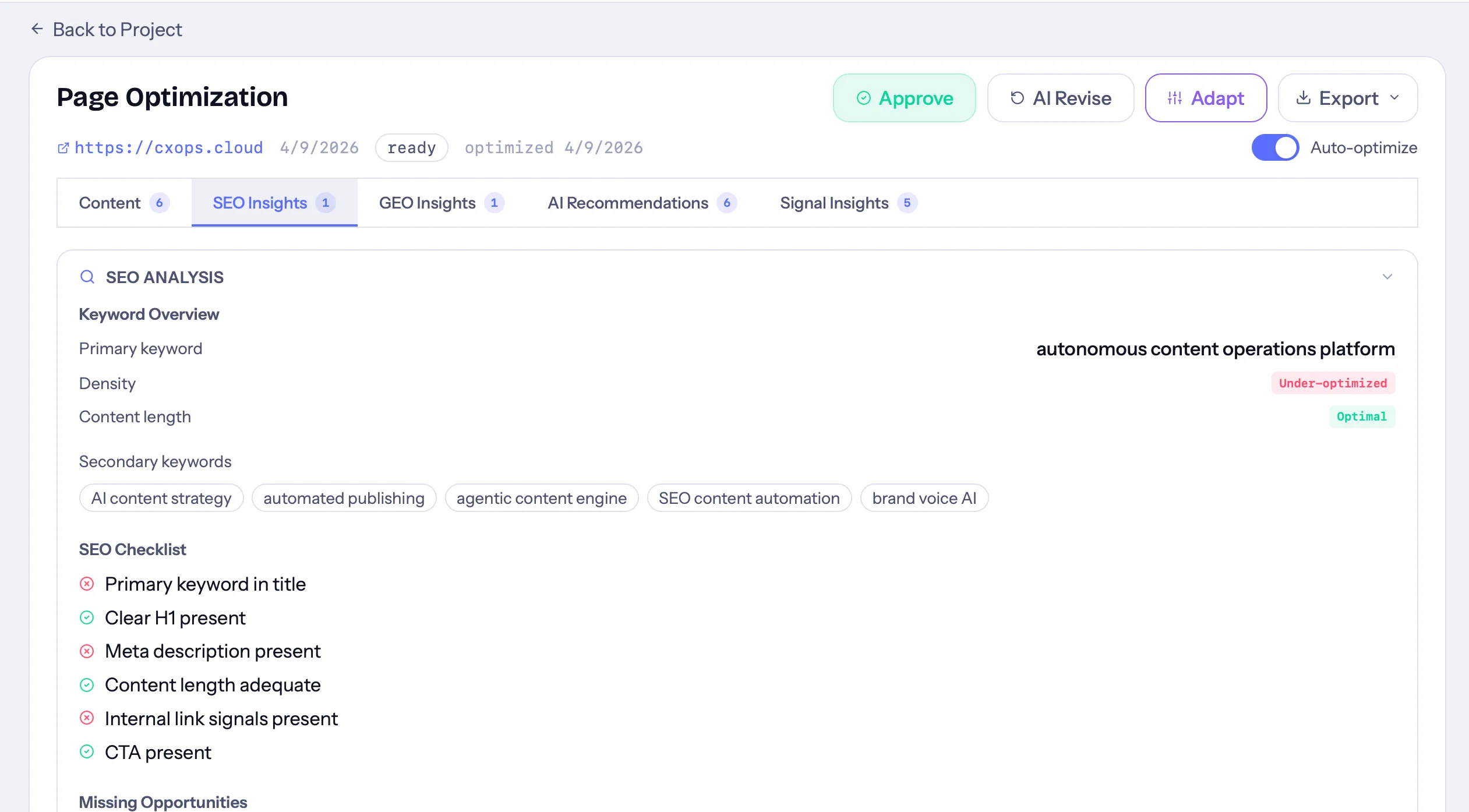
- Open a draft in the Cortex editor
- Click the SEO tab in the analysis panel
- Review the keyword analysis, on-page checklist, and recommendations
- Make edits to address any gaps
- SEO analysis updates as you edit — so you can see improvements in real time
SEO + GEO Together
Section titled “SEO + GEO Together”Cortex runs SEO and GEO analysis simultaneously. While SEO focuses on ranking in traditional search results, GEO focuses on being cited in AI-generated answers. The best content strategy optimizes for both — and Cortex gives you visibility into both dimensions in a single view.