
Cortex Overview
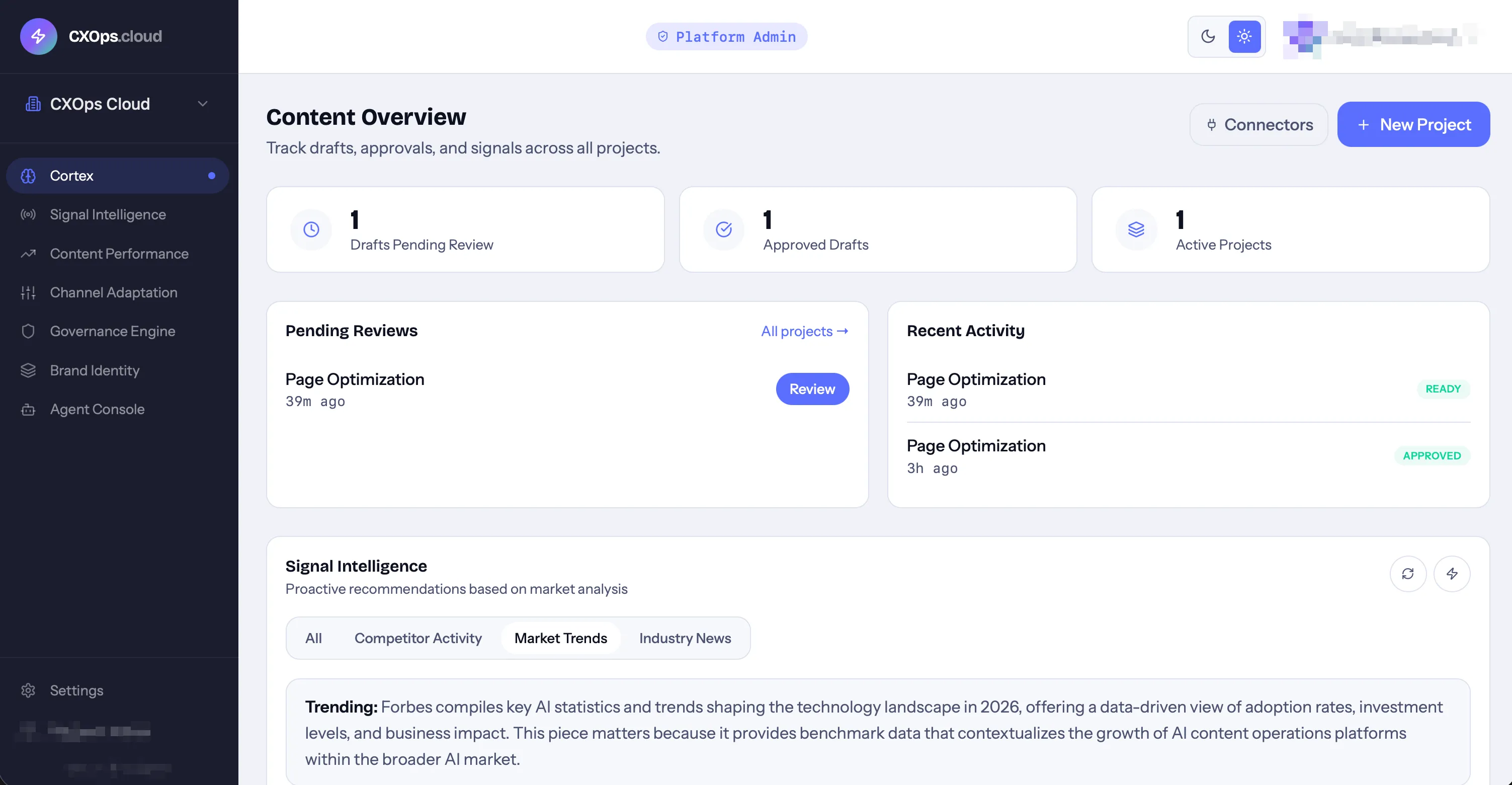
Cortex is the content engine at the heart of CXOps Cloud. It generates, optimizes, and manages content using AI — always informed by your brand identity in Brand DNA Vault and enriched with SEO and GEO analysis.
Core Concepts
Section titled “Core Concepts”Projects
Section titled “Projects”A project is the container for a content optimization effort. Each project has:
- A name and optional description
- An optional source URL (an existing page to optimize)
- Auto-optimize toggle (re-runs optimization on a nightly schedule)
- Status: active, draft, or completed
When you create a project, a draft is automatically queued for generation.
Drafts
Section titled “Drafts”A draft is the actual content output within a project. Each draft contains:
- Content sections — structured blocks (hero, body, features, CTA, meta) each with original and optimized content
- SEO analysis — keyword targeting, density, heading structure, meta tags
- GEO analysis — E-E-A-T evaluation and AI visibility optimization
- Agent suggestions — AI-generated recommendations prioritized by impact (high, medium, low)
- Behavioral insights — audience engagement predictions
Draft Lifecycle
Section titled “Draft Lifecycle”Each draft moves through a processing pipeline:
- Queued — waiting to be picked up
- Scraping — fetching content from the source URL
- Analyzing — running SEO and GEO analysis
- Generating — AI is creating optimized content
- Ready — draft is complete and available for review
- Approved — you’ve reviewed and approved the content
- Exported — content has been exported or published
The Editor
Section titled “The Editor”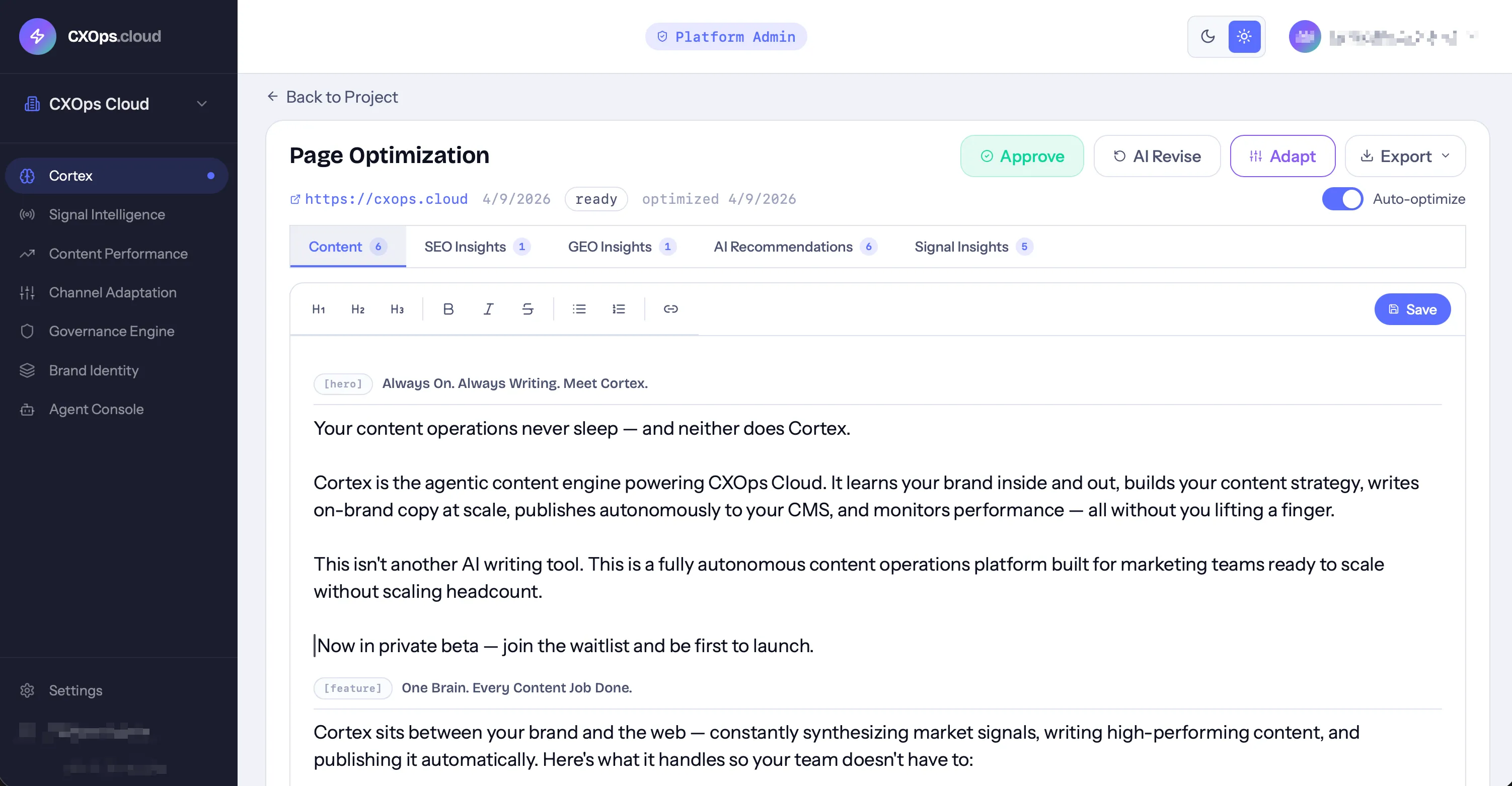
The draft editor is a full-featured content workspace:
- Rich text editing with formatting toolbar (powered by Tiptap)
- Section markers showing the type of each content block
- AI suggestions panel with prioritized recommendations
- SEO panel with real-time keyword analysis
- GEO panel with E-E-A-T evaluation
- Activity feed showing all actions (views, edits, approvals)
- Export options — download as DOCX, JSON, or plain text
Publishing
Section titled “Publishing”Cortex integrates with WordPress for direct publishing:
- Set up a publish connector with your WordPress site URL and API key
- From an approved draft, click Publish
- Choose to create a new post or update an existing one
- Select a category and publish status (publish, draft, or pending review)
- CXOps pushes the content via the WordPress API
All publish attempts are logged in an immutable audit trail.
Auto-Optimization
Section titled “Auto-Optimization”Enable auto-optimize on a project to have CXOps re-run optimization on a nightly schedule. This is useful for pages where search landscape changes frequently — CXOps will update SEO and GEO recommendations based on current data.
Content Types
Section titled “Content Types”Cortex supports multiple content types:
- Page — web pages and landing pages
- Email — email campaigns and newsletters
- Social — social media content
- Brief — content briefs and outlines